
If you have ever watched a pile of supplier invoices grow on a finance manager’s desk—or in an inbox—until it becomes an emergency, you know the pattern. Invoices arrive daily by email, post and supplier portals. Someone has to open each one, check it against a purchase order, key the figures into the accounting system, code it to the right nominal account, and route it for approval. In many SMEs this backs up into a three-day scramble every month-end, with the finance team chasing approvals, correcting miskeyed VAT codes and delaying supplier payments. The result is late payment interest risk, strained supplier relationships, and a finance team spending its time on data entry instead of analysis. AI-powered invoice processing—sometimes called intelligent invoice capture—solves this specific problem: it takes the repetitive extraction and matching work off your team’s plate and compresses days of backlog into hours.
What ‘AI-Powered Invoice Processing’ Actually Means
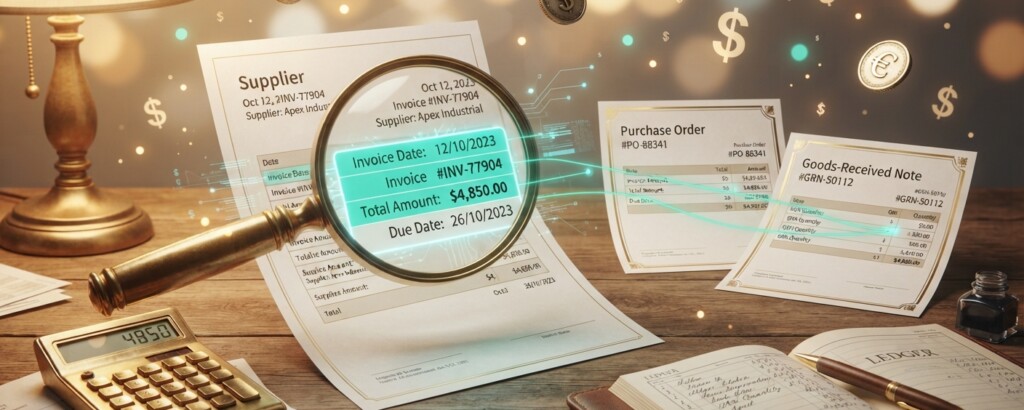
Strip away the marketing language and the technology does three simple things. First, it reads an invoice—whether it is a PDF, a scanned paper copy or an email attachment—and pulls out the supplier name, invoice number, date, net amount, VAT amount and total, using a technique called optical character recognition combined with a trained machine learning model. Second, it matches those figures against your purchase order and goods-received note, a process accountants call three-way matching, to confirm you actually ordered and received what you are being asked to pay for. Third, it learns from corrections. If your bookkeeper always codes invoices from a particular supplier to ‘Repairs and maintenance’ rather than ‘Consumables’, the system remembers that and applies it automatically next time. None of this replaces your finance team’s judgement—someone still needs to approve payments and investigate anomalies—but it removes the manual re-typing and cross-checking that eats up most of the processing time.
The Three-Day Pile-Up in Numbers
Assume a typical SME purchase ledger processes 400 supplier invoices a month, roughly 20 on each working day. Under a manual process, an experienced bookkeeper takes around 8 minutes per invoice once you include opening the email, checking the purchase order, keying the data, coding the VAT correctly and routing for approval. That adds up to over 53 hours of work—more than a full week for one person, or three heavy days when squeezed in around other duties. With AI-powered capture, the software extracts and matches the data automatically; the bookkeeper’s job shifts to reviewing exceptions and approving, which takes roughly 90 seconds per invoice on average, since most invoices sail through without a query.
| Process step | Manual approach | AI-powered approach |
|---|---|---|
| Opening and reading invoice | Manual review of PDF or email, around 2 minutes | Automatic extraction on receipt, 0 minutes of staff time |
| Matching to purchase order | Manual cross-check against a spreadsheet or system, around 3 minutes | Automatic three-way match, flagged only if it does not tie out |
| Coding to nominal account and VAT | Manual entry and VAT rate selection, around 2 minutes | Auto-coded from learned rules, reviewed in seconds |
| Approval routing | Manual email chase, around 1 minute plus waiting time | Automatic routing straight to the approver’s queue |
| Exception handling | Investigated ad hoc, often causing delay | Flagged immediately with supporting documents attached |
| Manual processing: 400 invoices at 8 minutes each | 3,200 minutes (53.3 hours) |
| Manual labour cost at £18 per hour | £960 |
| AI-assisted review: 400 invoices at 1.5 minutes each | 600 minutes (10 hours) |
| AI-assisted labour cost at £18 per hour | £180 |
| Software subscription (typical SME plan) | £150 |
| Total monthly cost with AI-powered processing | £330 |
| Monthly saving versus manual processing | £630 |
What Happens to the Bookkeeping Entries
It is worth being clear: AI does not change the accounting itself, only the speed and accuracy of getting there. Whether a human keys in an invoice or software extracts it, the same double-entry bookkeeping applies. Take an invoice from a supplier, Northgate Timber Ltd, for £1,200 of materials plus VAT at the standard rate of 20%, totalling £1,440. Under either process, the entry posted to the purchase ledger looks like this:
| Account | Dr | Cr |
|---|---|---|
| Purchases (cost of sales) | £1,200 | |
| VAT recoverable (input VAT) | £240 | |
| Trade payables – Northgate Timber Ltd | £1,440 |
Invoice for materials from Northgate Timber Ltd, net £1,200 plus VAT at 20%, matched to purchase order and goods-received note before posting.
The AI system’s contribution is that it identified the £1,200 net and £240 VAT split automatically by reading the invoice image, checked that the totals cast correctly, matched the £1,440 to an approved purchase order, and coded the cost to Purchases rather than leaving it sitting in a suspense account—all before anyone in your team opened the email. That is the three-day pile-up compressed into a same-day, largely automatic entry.
Ask any invoice processing provider whether their system performs three-way matching (invoice, purchase order, goods-received note) as standard. This single check catches the majority of duplicate payments and pricing errors before they reach your bank account, and it matters far more than how clever the text extraction looks in a demo.
Automating extraction is not the same as automating judgement. HMRC’s Making Tax Digital rules still require you to keep a digital VAT record with the correct rate and amount for every transaction, and you remain responsible for that accuracy even if software made the initial read. Build in a human review step for any invoice above a set threshold—say £1,000—and for any new supplier, since machine learning models are only as reliable as the historic patterns and training data they have seen.

What This Means for Month-End and Cash Flow
For a single-entity SME, compressing invoice processing from three days to same-day means your month-end close moves faster too, because the purchase ledger is complete and reconciled well before the accounts team needs to prepare management reports. It also improves your cash flow forecasting, since you know your true payables position at any point rather than discovering a backlog of unprocessed invoices right when payment runs are due, and it opens the door to taking early payment discounts you would otherwise miss while invoices sat in a queue. For a group with two or three subsidiaries, the effect multiplies: if each entity’s accounts payable team is still keying invoices manually, the group finance function is often waiting on the slowest subsidiary before it can consolidate. Automating invoice capture across all entities means each subsidiary’s ledger closes on a consistent, predictable timetable, removing one of the most common blockers to timely group reporting at a stroke.
Actionable Takeaways
- Calculate your own baseline first: multiply your monthly invoice volume by the minutes it genuinely takes to process one, including chasing approvals, so you can measure the real saving before choosing a tool.
- Insist on three-way matching (invoice, purchase order, goods-received note) as a non-negotiable feature, since this is what actually prevents duplicate and fraudulent payments, not the text extraction itself.
- Keep a human review step for invoices above a threshold you set, for example £1,000, and for any first-time supplier, so that machine learning errors are caught before payment leaves the bank.
- Check that VAT rates and amounts extracted automatically are logged correctly for Making Tax Digital purposes; a wrong VAT code applied at speed is still a wrong VAT code, and you carry the compliance responsibility.
Want to see what automated invoice processing could save your business?
We help SME owners and finance teams work out the real cost of manual accounts payable, choose the right tools, and keep the accounting controls sound while the technology does the heavy lifting.